
December 11, 2015
Table of contents
We end this week with another round of feature updates. Let us know what you think!
Bulk Claiming
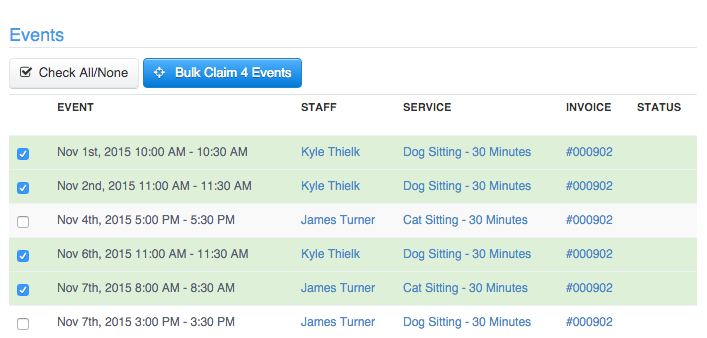
Claiming Services allows you to move services between invoices for a client. Previously this was done one scheduled service at a time. A laborious process when more than a few services were involved. No longer!
Bulk claiming allows you to quickly move multiple services at one time in much the same vein as Bulk Editing and Bulk Invoicing.
View our help article for more information on how to Bulk Claim.
More Transparent Credits
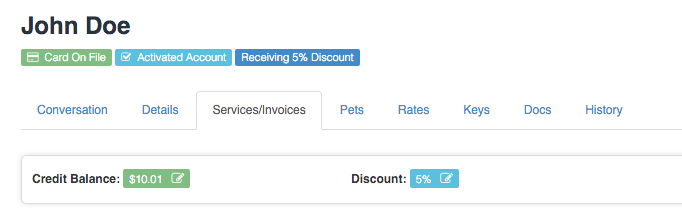
Adjustments made to a Client’s credit balance are now done in a more structured manner in order to build a more transparent history of how, when and why the client’s credit was adjusted.
The Credit Field and the Discount Field have also been moved from the Details tab and are now located in the “Services/Invoices” tab.
Clicking on the Credit Field will launch a new window where you can see the Client’s complete credit history. This has been the case in Time To Pet for awhile now but there is now a new button “Adjust Credit Balance”. This button will open a form where you can increase of decrease the credit balance and leave a note as to why the balance is being changed.
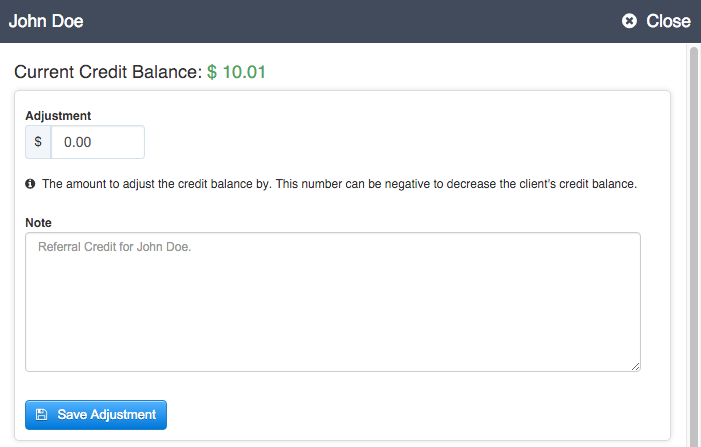
Note: This varies from the previous behavior of the Credit Field. When the credit field was in the Details section the value you entered became the new credit balance. This new Adjustment Form will take the value entered and add it to or subtract it from (if a negative value is entered) the current balance.
Staff Viewable Tips
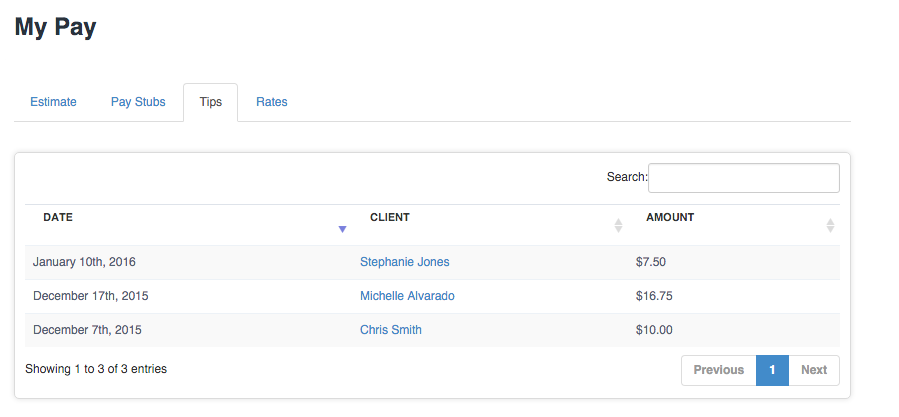
Although Staff members could see how much they have received in tips via their Pay Stubs it was not possible to see which clients left the tips.
In My Pay staff members can now see a breakdown of all tips they have received from all of their clients.
As always don’t hesitate to contact us with any questions.