
January 21, 2015
Table of contents
By default your calendar will color events based on their status i.e Completed, Scheduled or Cancelled. The default colors:

You can now have an event’s color determined by the sitter/staff that is performing the work rather than the event’s status.
Enabling the option to color events by sitter/staff rather than event status is incredibly easy.
- Start by heading to Settings -> Scheduler (or click here to be taken directly there).
- Under Scheduling Colors choose “Color By Staff”.
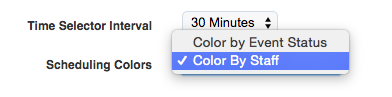
- Click Save Configuration
To configure what color a particular staff member appears navigate to their profile.
- Under the Schedule tab you will see the following

- To change the color click the Edit button.
- Click on the color you want the staff member’s events to be shown in.
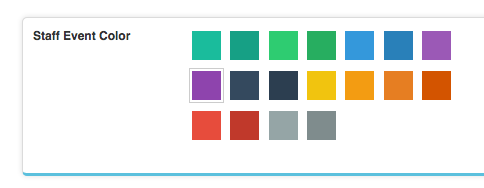
Thats it! Let us know if you have any questions or comments.