
October 13, 2016
Table of contents
In Time To Pet - all of your invoicing is intrinsically linked to scheduling. That means whenever you schedule events - your invoices are automatically created. There is no need to go back at the end of the week and count up all of your visits and generate your client's invoice. The invoice has been built for you already!
But what happens when you need to bill your client for something that wasn't on your schedule? Let's say your client was running late for their trip and didn't get a chance to pick up a new bag of food. You being the great pet sitter that you are offered to grab one for them. How do you bill your client for the bag of food?
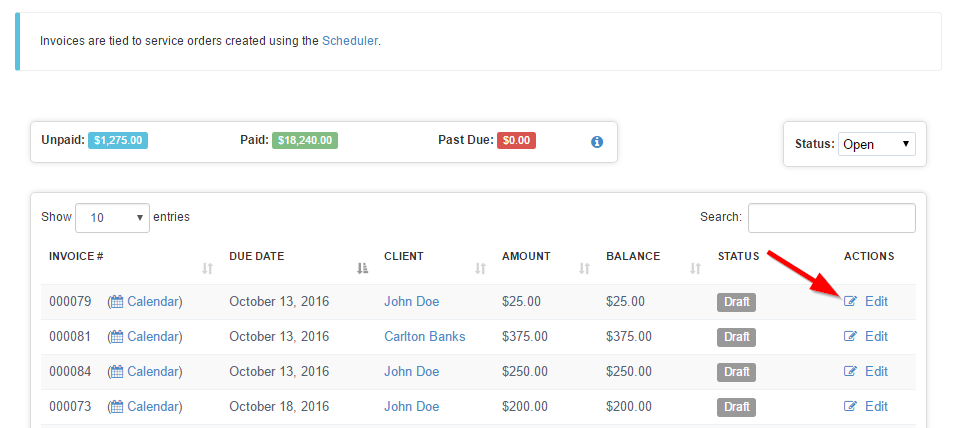
In Time To Pet - you can do this by using our Custom Invoice Line Item feature. Custom Invoice Line Items are included on your client's invoice but they aren't linked to any event. To add a Custom Invoice Line Item - first open your Edit Invoice screen for the invoice you would to edit.
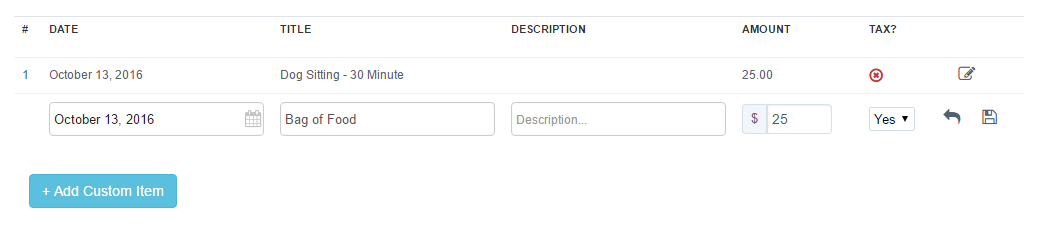
Next, click the "Add Custom Item" link:

TTP then creates a new line item that you can customize! Just be sure to click the floppy disk icon to save.
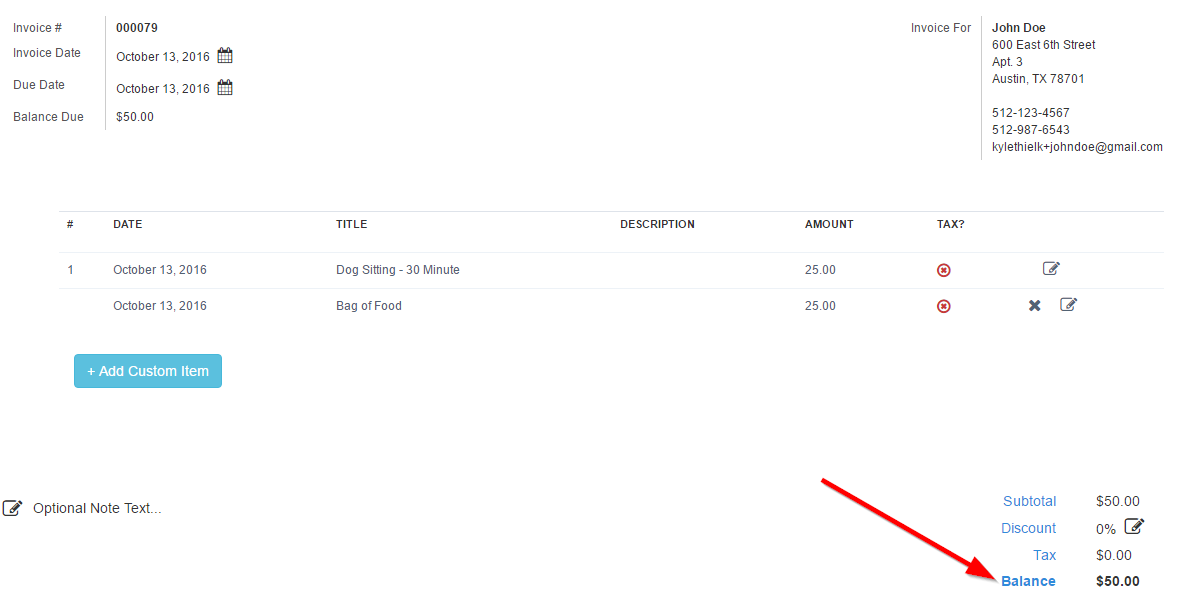
After saving, the balance will be adjusted with your new line item!
Be sure to stay tuned for next week's Friday Feature Focus. Have a great weekend!