January 20, 2017
Table of contents
When performing vacation pet sitting - many of our customers like to do something special on their last visit. That may be tidying up a little more, leaving a report of how the visits went or something else. But how do you remember it's the last visit? Well, Time To Pet makes it super easy with our "First/Last" feature. Enabling "First/Last" will tag the first and last visit of an invoice so you can be sure you know when your customer is coming home.
"First/Last" can be enabled in Scheduler Settings in the Event Settings section:

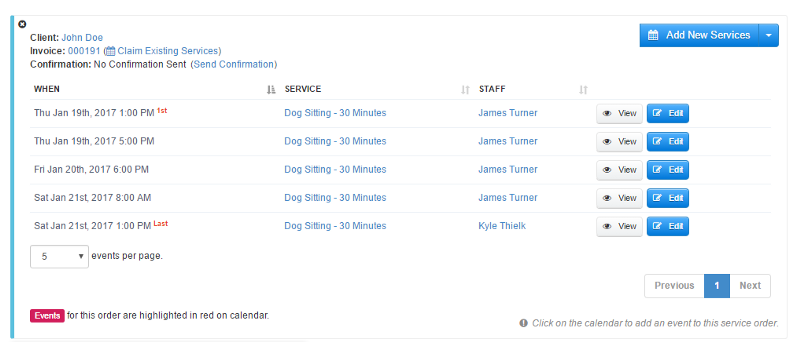
You will then notice that your events are tagged as "First" or "Last":
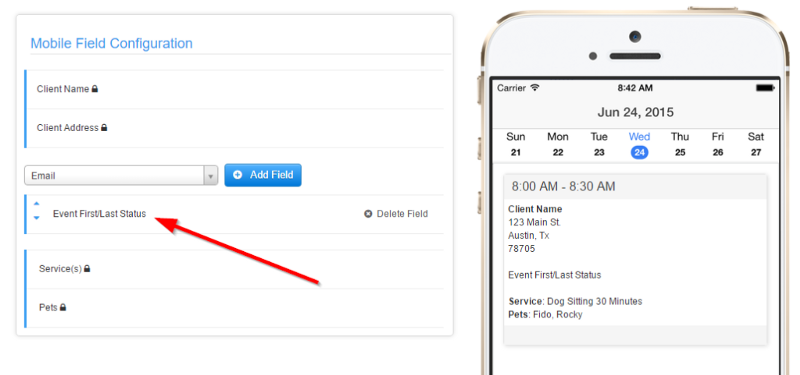
You can also make sure to enable "First/Last" on your mobile app as well! Navigate to Mobile Application Configuration and make sure the "Event First/Last Status" field has been added to the Mobile Field Configuration section: