March 23, 2018
Friday Feature Focus - Mark Client as Inactive


Today’s Friday Feature Focus is highlighting a simple feature in Time To Pet - marking a client as inactive. As much as we would hope our clients stay with us forever - sometimes things change, they move away or they no longer need pet care services. In Time To Pet - marking a client as inactive is very simple.
Just navigate to the client’s profile and look for the blue “Quick Actions” button and select the “Make Inactive” option.
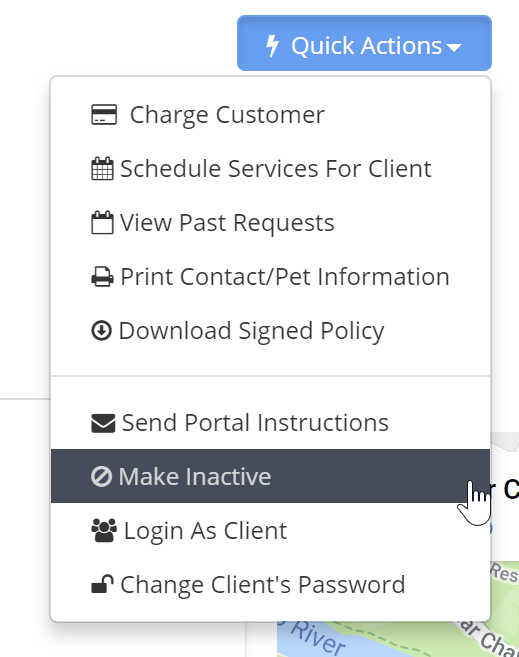
After a client is made “inactive” - they are simply moved to the “Inactive Client List”. You can find the Inactive Client List by navigating to the main Client List and scrolling to the bottom.

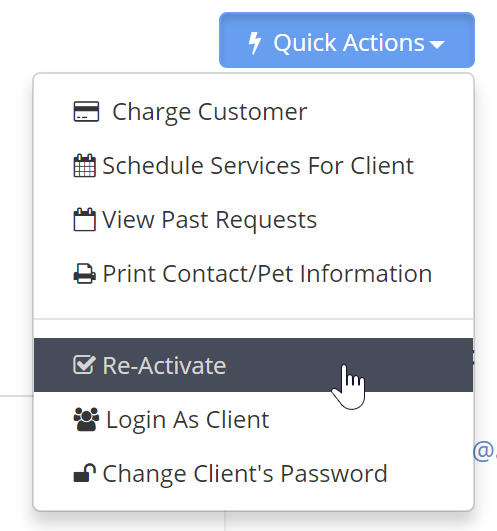
You can see a full list of all clients that you have marked as Inactive right from here. Just click on a client if you need to see their client profile. And if you ever need to re-activate them - just click the same blue Quick Actions button.
All-in-one pet care software trusted by 5,000+ businesses worldwide.