August 12, 2016
Table of contents
Here at Time To Pet — we are always looking for ways to help our customers be more efficient. One of these ways is the ability to hide events after they have been marked as Complete. This makes it much easier to view what needs to be completed but what happens when an event is marked as Complete by accident? It could easily be missed. That’s why we have created a really simple and easy way to prevent early event completions!
The configuration option to enable this safety feature can be found in Scheduler Settings under the Event Settings group:

The options include 1 hour, 2 hours, 4 hours, 8 hours, 12 hours and 24 hours.

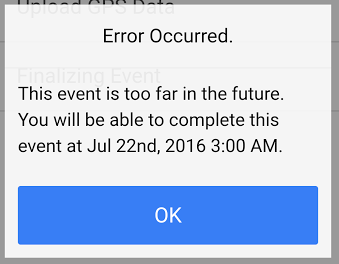
When you set the limit to 4 hours — no events will be able to be completed more than 4 hours early. If a staff members attempts to complete the event early — they will see an error message like this: