
December 15, 2017
Table of contents
Working on the weekend is a necessary evil for many pet sitters. Because of this --- many of our customers have implemented a "weekend fee" policy. Similar to holiday fees --- the weekend fee is a flat dollar amount charged to all events that occur on the weekend.
Here at Time To Pet --- we've made the process of adding those weekend fees super easy! Weekend fees can be added by editing your existing services. We manage this on a service by service basis so you can choose what types of service you want to add the weekend fee to.
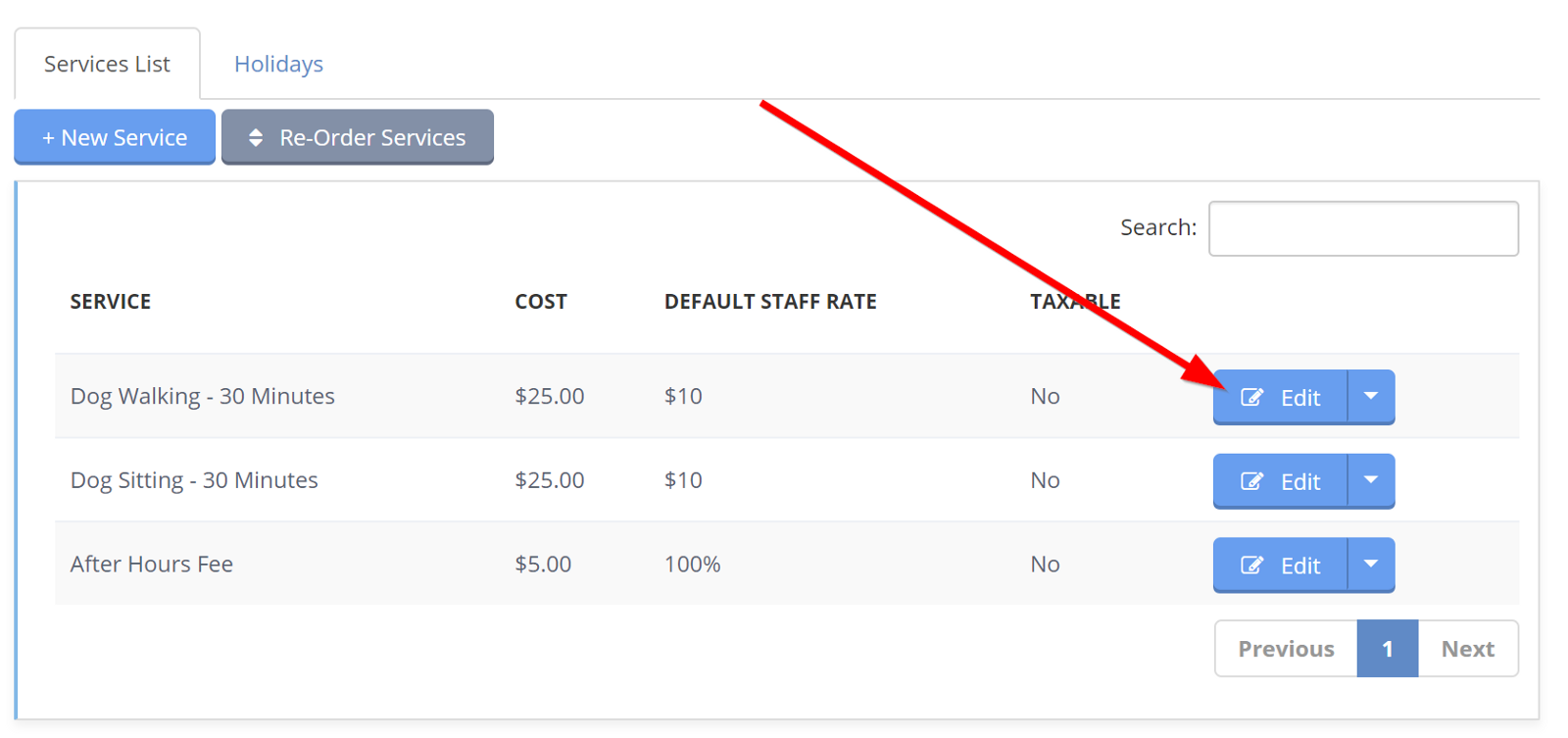
To get started --- simply edit one of your existing services. This can be done right from the Services List:
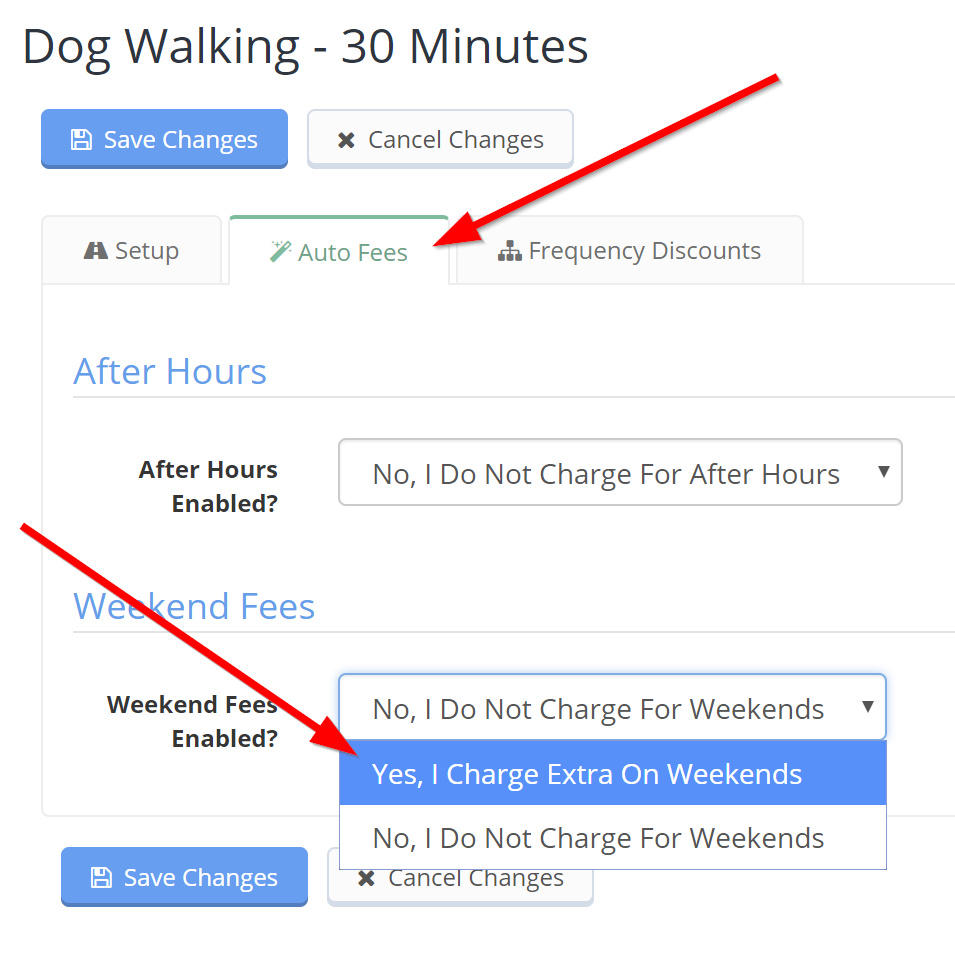
Now just look for the "Auto Fees" tab at the top of the screen. You can enable the weekend fee right from here:
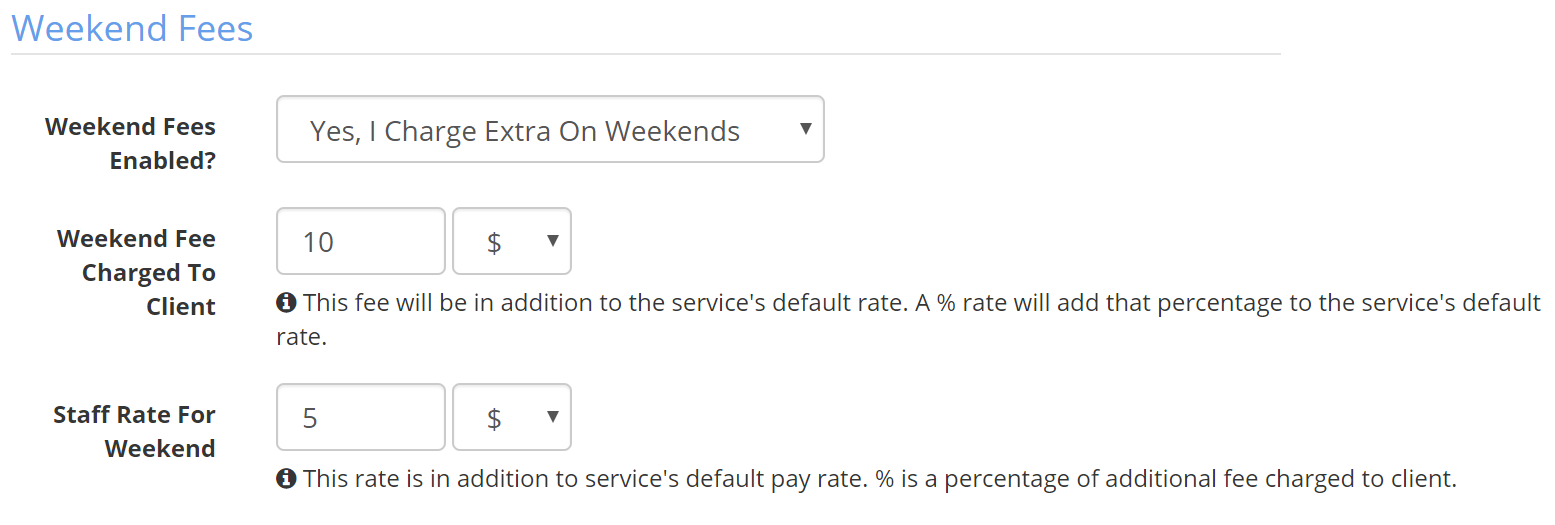
You can set how much the fee is and also how much extra you pay staff members for working on the weekend:
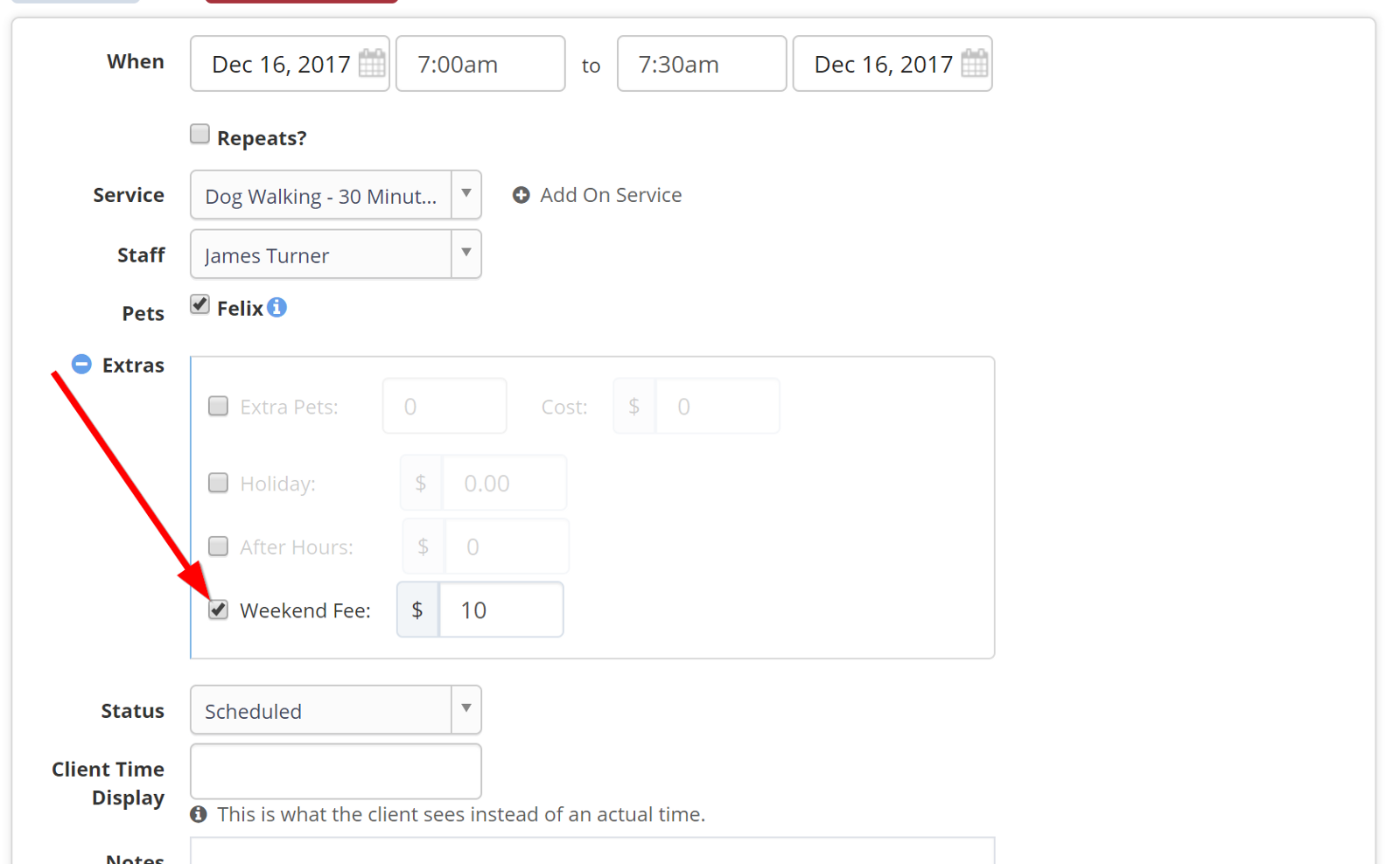
After enabling, Time To Pet will automatically add your weekend fee to all new visits scheduled for that type of service on the weekend. You can see the fee by looking at the "Edit Event" screen for that service. If you ever need to waive a weekend fee, just navigate here and uncheck the weekend fee checkbox:
Now go and enjoy your weekend!