
January 23, 2018
Table of contents
We've been hard at work building some great new features for Time To Pet. Yesterday --- we announced a major adjustment to Visit Report Cards, a revamped view of Pet Profiles and small change on invoice totals. Our next round of feature updates includes the ability to toggle individual notifications, some advanced reporting for deleted events and a new function in the Happiness Score!
Toggle Notifications
We've increased the functionality of Notifications in Time To Pet to make it easier to track what you need to do and what has already been taken care of. When you now navigate to the Notifications section, you'll see a list of all of your notifications.
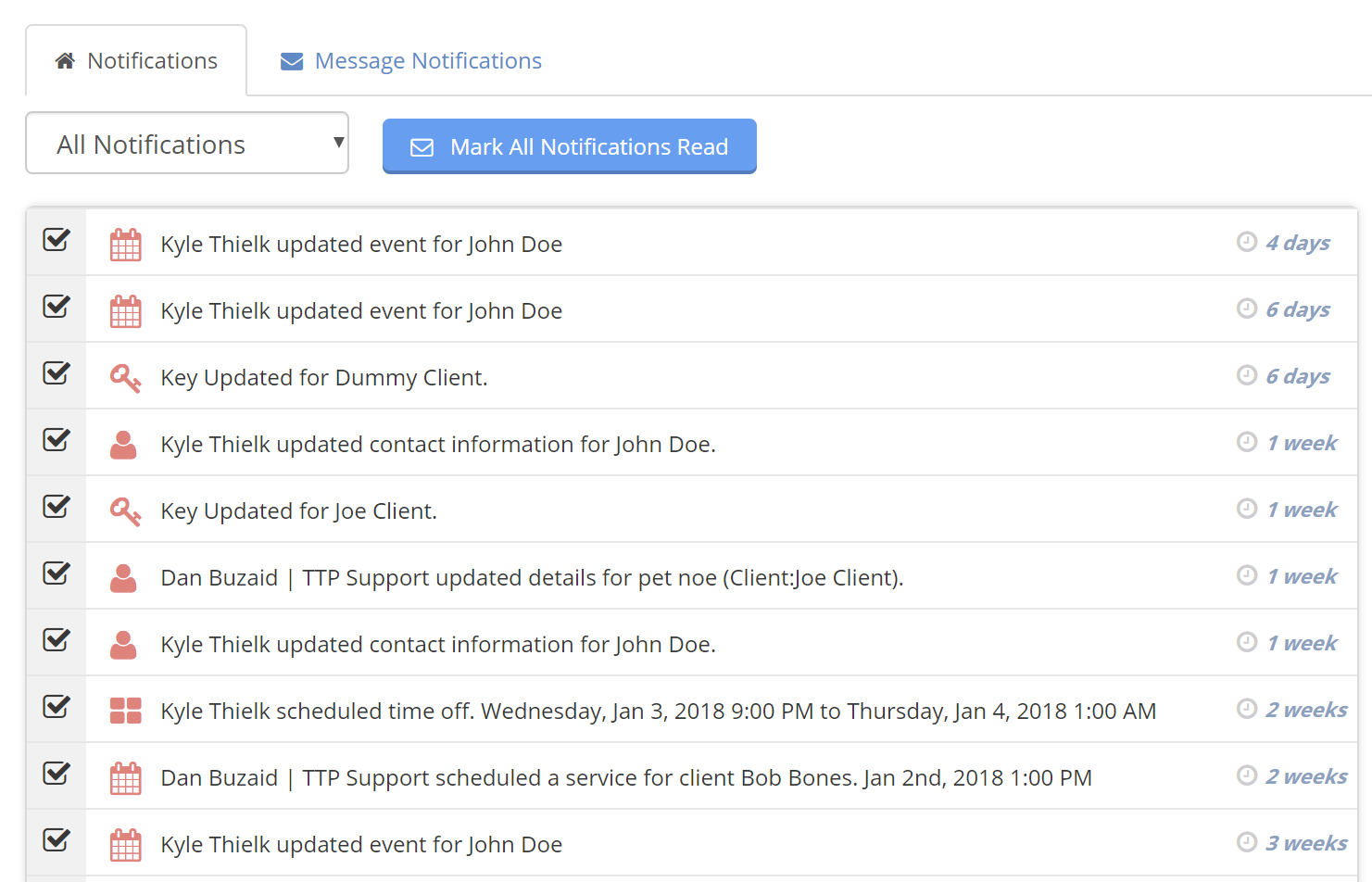
You can still mark them all as "Read" with one click but you can now toggle individual notifications as "Read" or "Unread". Just click the checkbox to the far left to mark a notification as "Read". You can also click the calendar icon to mark a notification as "Unread":
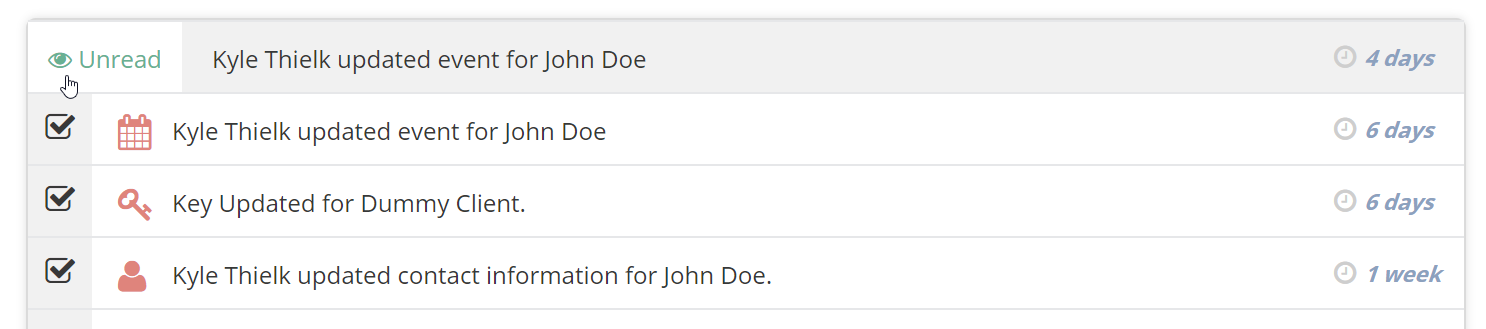
Keeping track of your notifications helps you ensure you've reviewed those updates your office manager did, approved the time off for your staff member, approved the service order request from your client and every other action that triggers a notification in Time To Pet.
Deleted Event Tracking
You may notice a new button on the bottom of the Scheduler page for "Deleted Event History".
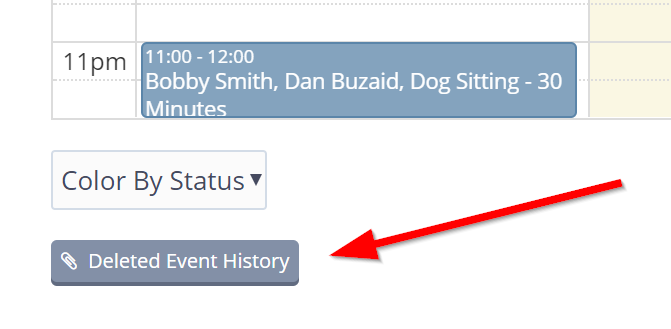
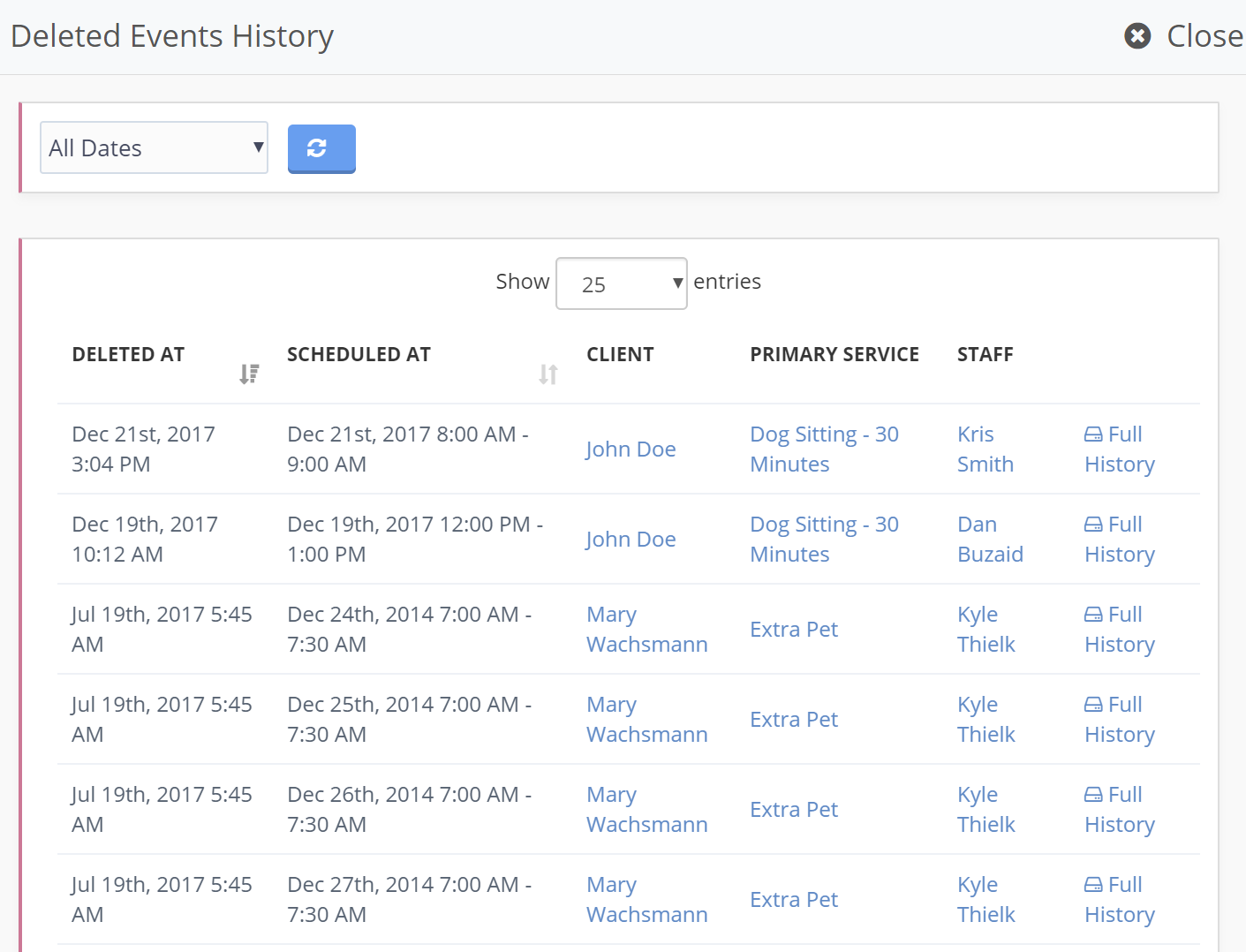
Time To Pet now makes it incredibly easy to review all of your deleted events, see when the event was deleted, when the original event was scheduled for and who actually deleted the event.
Delete Happiness Score
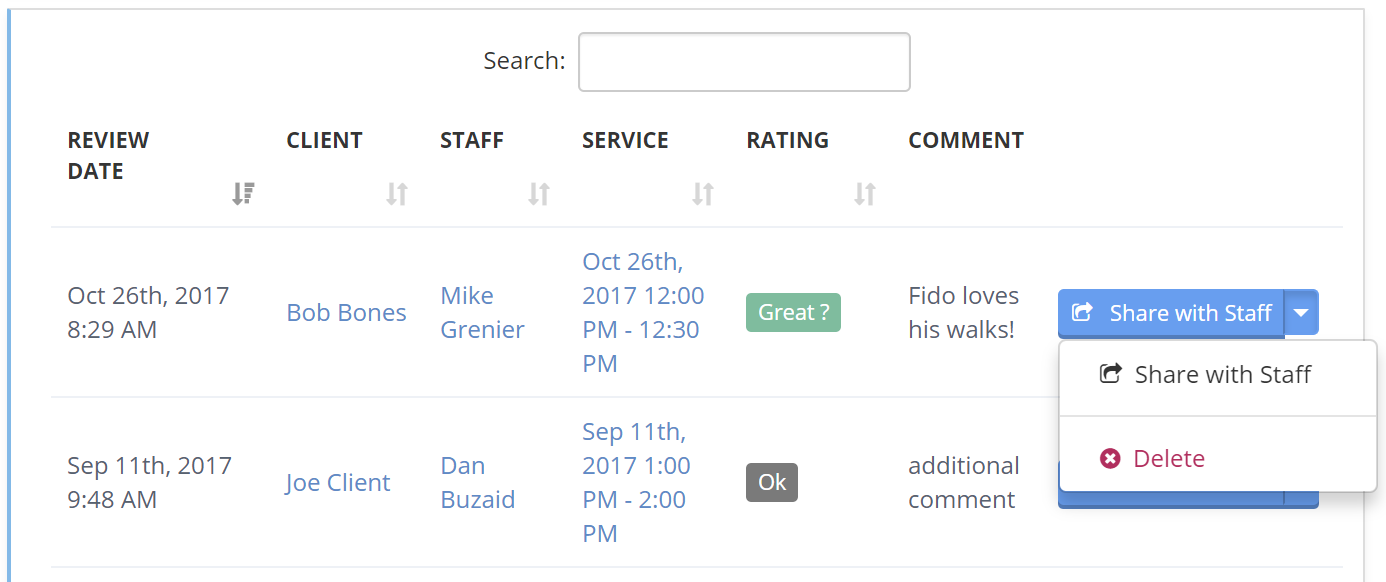
Every so often, you may get a Happiness Score that seems a little off. Maybe your client clicked the wrong button or had a bad day and wasn't nearly as upset as they seemed. You can now remove a Happiness Score by navigating to the Happiness Score section and clicking the dro pdown next to the score you want to remove.
Be sure to be on the lookout for some awesome new features we are working on!