
March 29, 2016
Table of contents
We have released multiple features over the past few weeks and today we wanted to highlight some of those features to make sure you are utilizing Time To Pet to its fullest.
Credit Card Required For Service Requests
Time To Pet can now automatically enforce a card on file policy before Clients can make requests through the Portal.
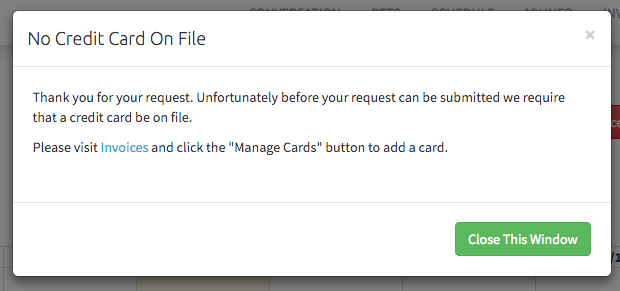
If a client attempts to make a Service Request and a card is not on file they will be presented with the following message including instructions on how to add a card to their account:
To enable ‘Required Credit Cards’:
- Visit Portal Settings.
- Change “Force Credit Card for Scheduling Requests” to Yes.
- Click “Save Changes”.
Note: Please ensure you are connected to one of our Credit Card Processors before enabling this option.
Edit Pending Requests
Previously when reviewing pending service requests changes could only be made after an event had been approved and was on your calendar. You can now make changes to each pending service without approving the event first.
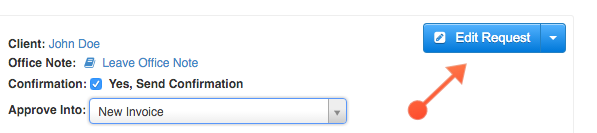
While processing a pending request click the “Edit Request” button to get started:
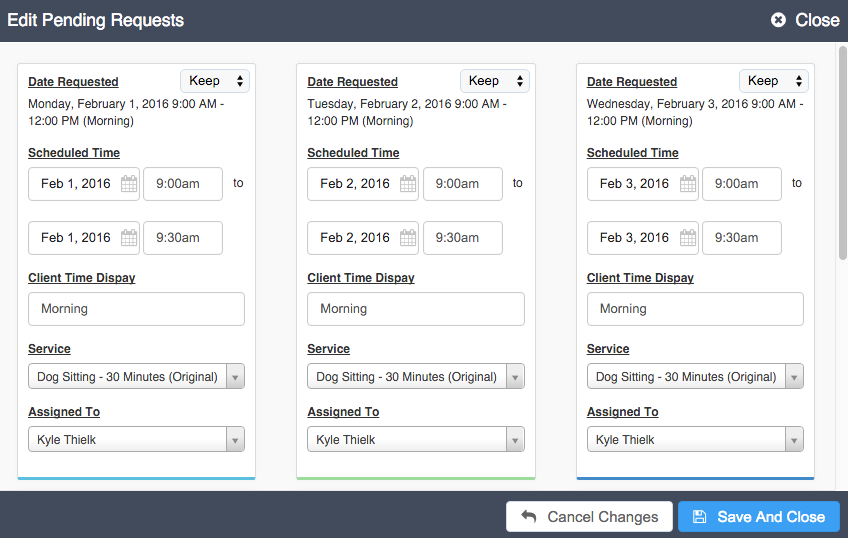
A new window will open with a list of all services that are still pending in this request allowing you to make any necessary changes to the Date, Client Time Display (pre-populated with Schedule Block Name, only visible if exact times are hidden from Clients), Service and Assigned Sitter.
For more information and instructions on all options available on the Edit Pending Request screen please see our knowledge base article Pending Requests.
Filter Calendar By Multiple Staff

It is now possible to filter your main calendar by one or more Staff members at one time. Previously it was only possible to filter by one or all.
We hope this makes it easier to compare schedules for more than one Staff member at one time.