
November 28, 2016
Table of contents
Scheduler Agenda View
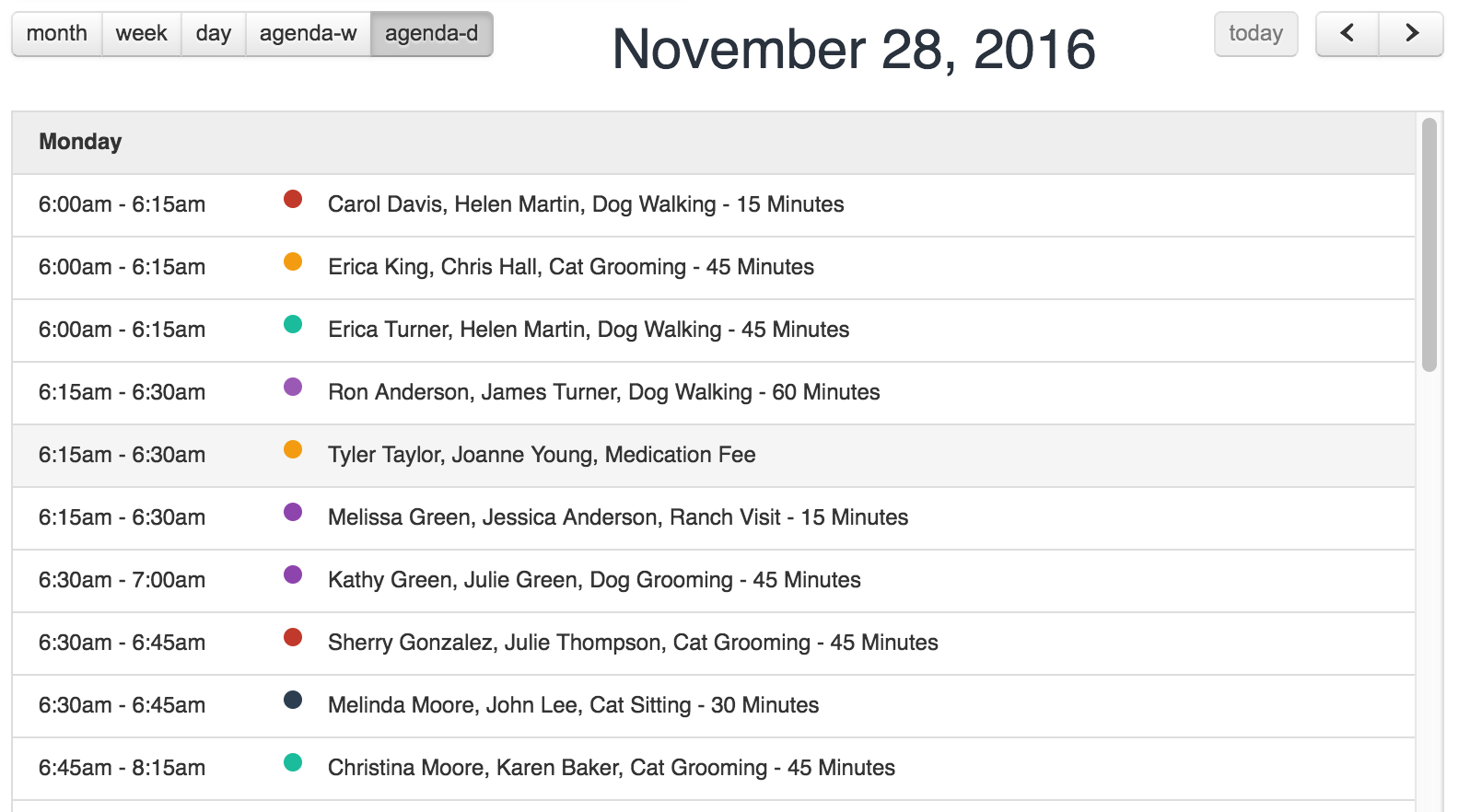
The Time To Pet Calendar view makes it really easy to see an overview of your day and quickly re-arrange events with our drag-n-drop functionality. Sometimes though it can be helpful to see your scheduled events listed in Chronological order.
That is where Agenda View comes in handy on the Scheduler. You will notice two new views available on the upper left corner:
agenda-w: A list of all your events one week at a time.
agenda-d: A list of all your events one day at a time.
Pay Stub Projections
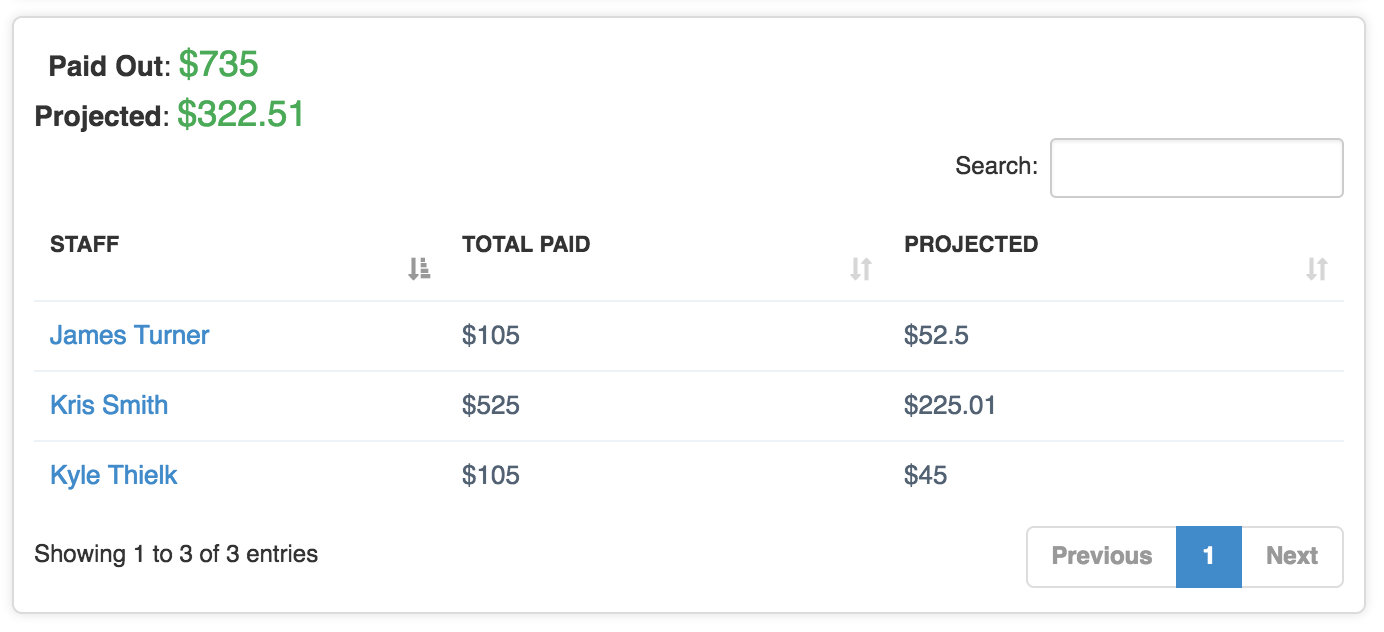
Pay Stubs -> Pay Report has some added functionality. This report now includes a "Projected" column. This column will calculate the projected earnings for each Sitter based on all events during the supplied date range that have not yet been paid out.
Quick Hover Event Notes
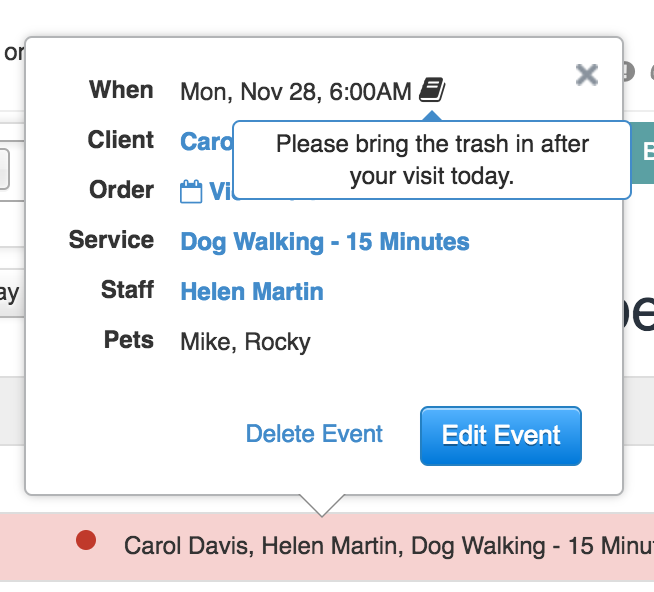
We've added one more convenient way to view the notes of an event. Any event that has a note will now contain a 'note' icon next to the date/time which you can hover over (or click on from Mobile) for the full note text.
Other Changes
- The Vet List can now be exported to CSV.

- The Pet List can now be filtered to only show Pets with a birthdate in a specified date range.
- Editing an Invoice has been made more consistent. Previously depending on what page you were on editing an Invoice could open a new tab, edit the Invoice on the current page or take you away to a new screen (thus losing your place on your current screen). All Invoice Edits will now take place on your current screen allowing you to keep your context.