
January 22, 2018
Table of contents
We've been hard at work the last few weeks building improvements to Time To Pet. We've got six to announce this week and we are going to break them up into two blog posts. Today's post will highlight a major adjustment to Visit Report Cards, a revamped view of Pet Profiles and small change on invoice totals that was a very popular request!
Show Visit Report Cards Once Per Event
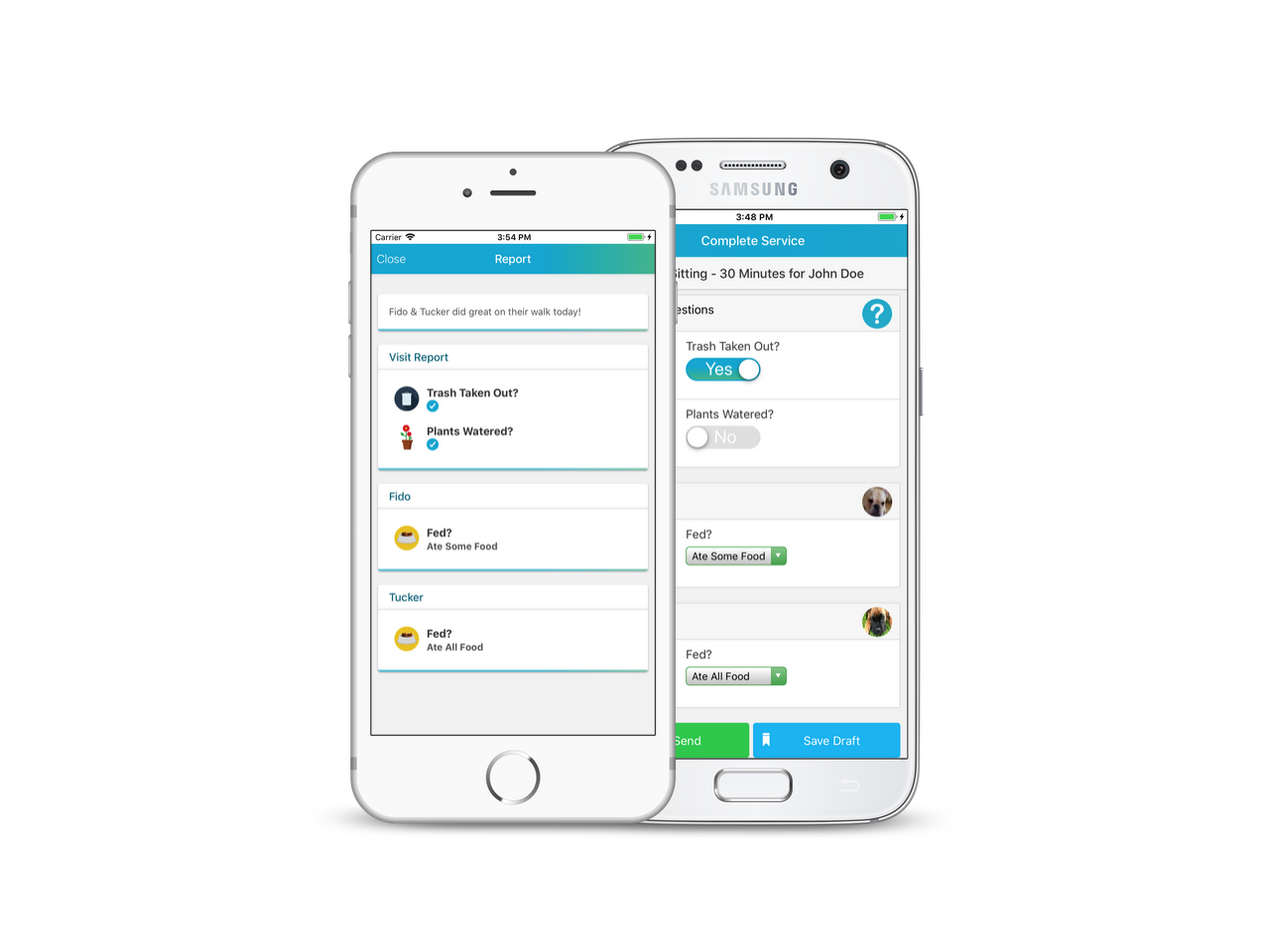
Visit Report Cards are one of the easiest ways to show clients exactly what happened during their visit in a quick, convenient and fun manner. However, Visit Report Cards have always been at the Pet level. This means if you have some questions like "Trash Taken Out?" or "Plants Watered?" --- you would have to answer that for each pet. Not anymore!
Each question inside of a Visit Report Card can now be customized to be shown "Once Per Visit" or "Once Per Pet".
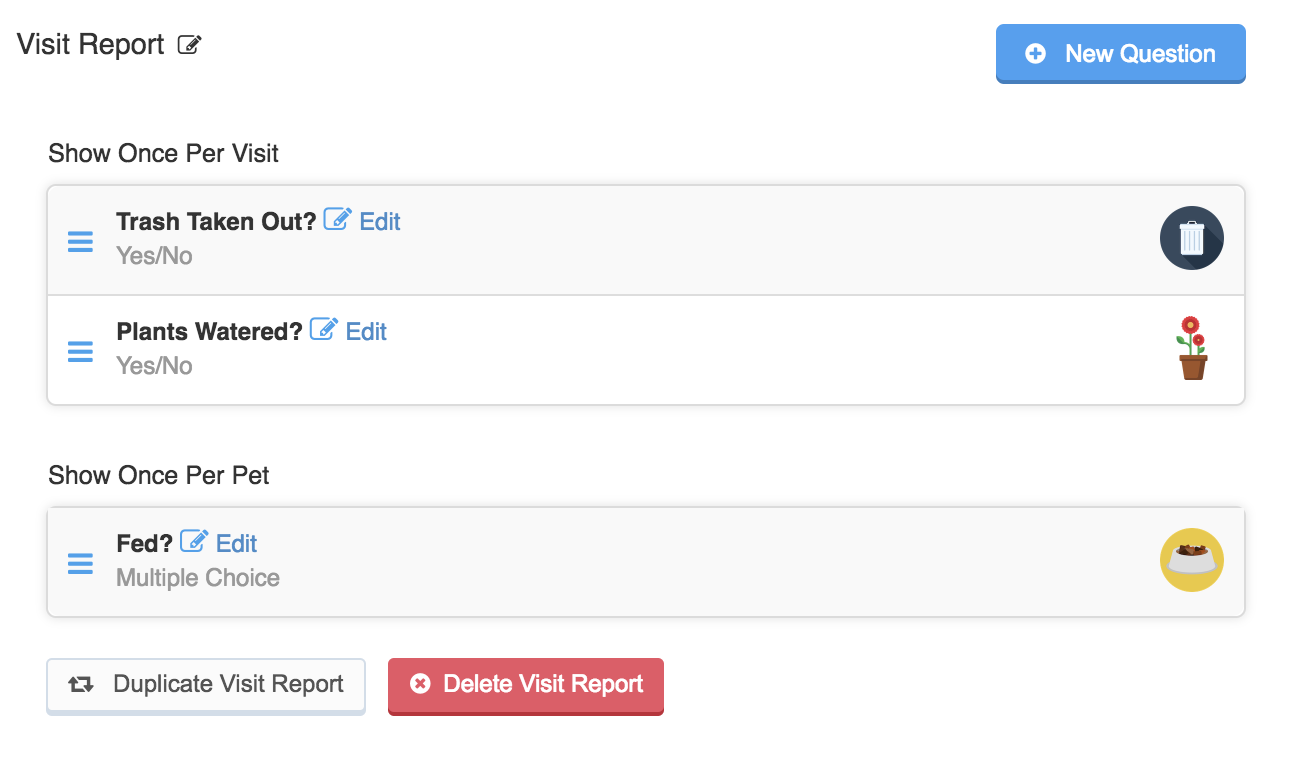
To set this up --- just edit your existing questions or add some new ones and adjust the "Show" field.
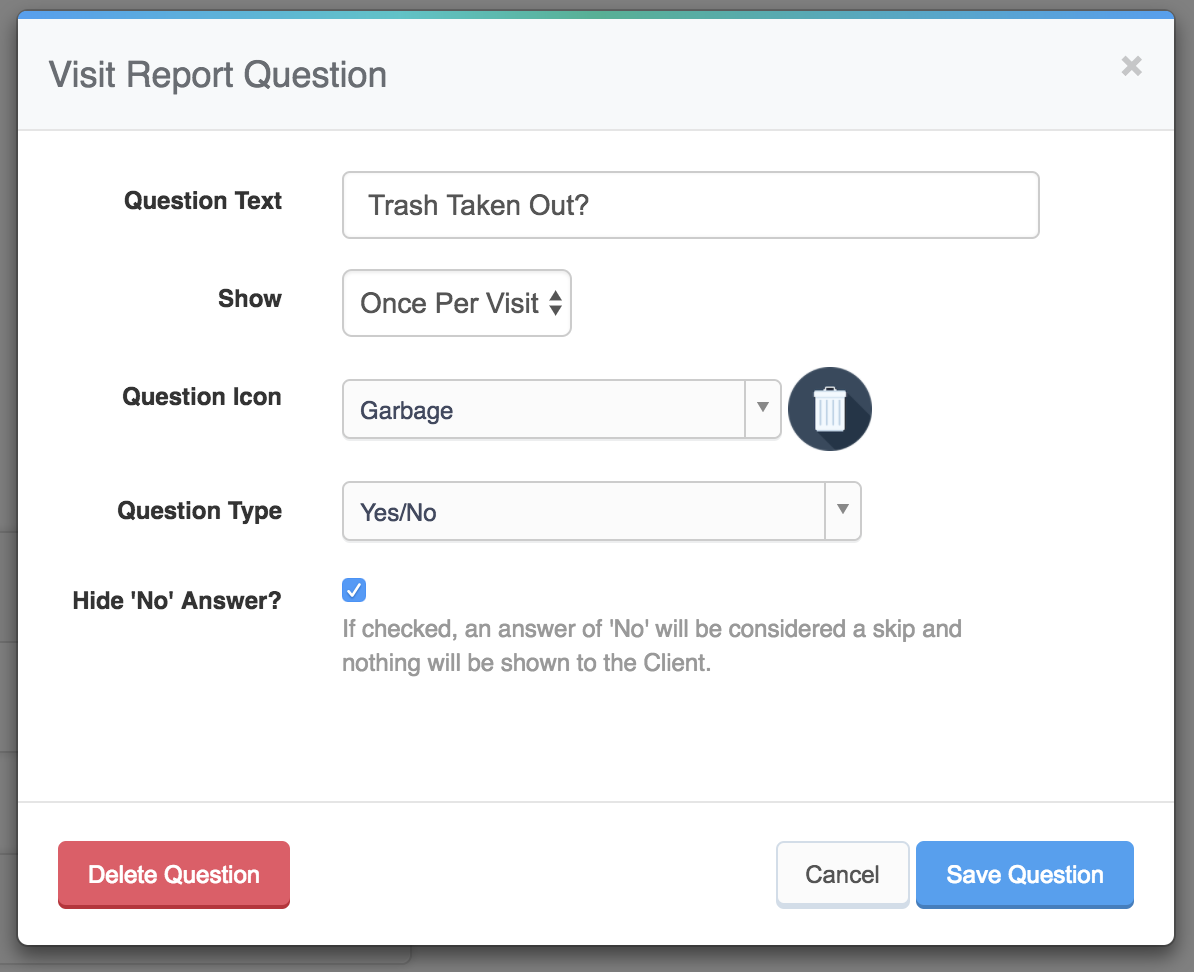
This means that questions that should be asked for each pet (Like "Did They Eat?") can be shown for each pet and questions that should only be answered once ("Like "Trash Taken Out?") only have to be answered once.
Pet Profile Updates
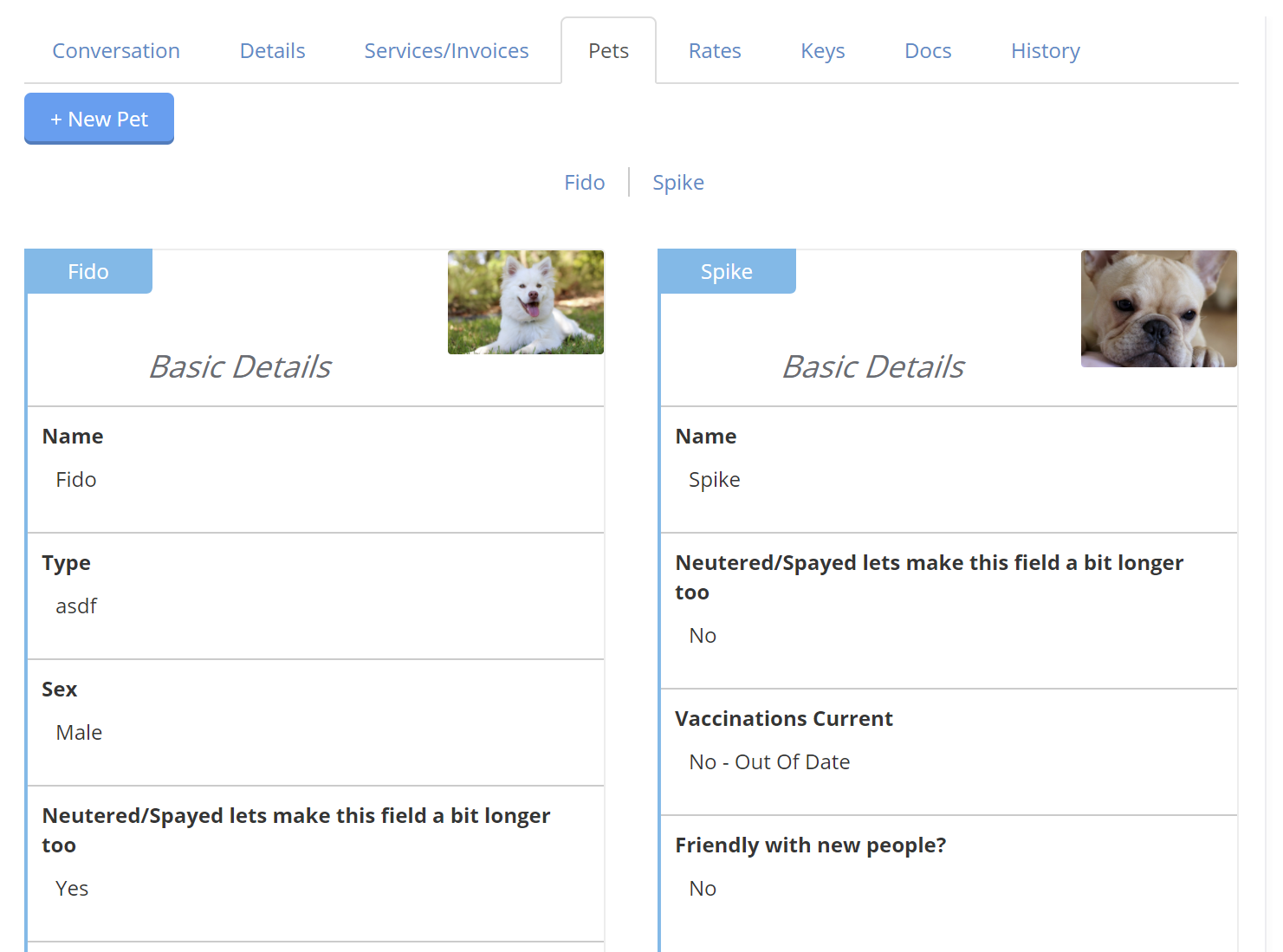
We've made some major changes to the way Pet Profiles look to make it easier to find the information you are looking for --- specifically for those clients that have multiple pets. You'll notice that the pet information is arranged in a more organized manner and there are links at the top of the page for each Pet. That means even if your client has a dozen pets, if you need to quickly find information for Fido --- just click his name and you will see his data!
Filter Invoice Totals by Year
The Invoices page has always shown some quick data at the top of the screen. This includes the total amount of Unpaid invoices, Paid invoices and Past Due invoices for all time. This data can now be filtered by year to make it easier to see important financial data broken down into more manageable intervals.

Stay tuned for our next round of feature announcements tomorrow!