
May 11, 2016
Table of contents
This week brings improvements to many of our existing features.
Template Conflict Notifications
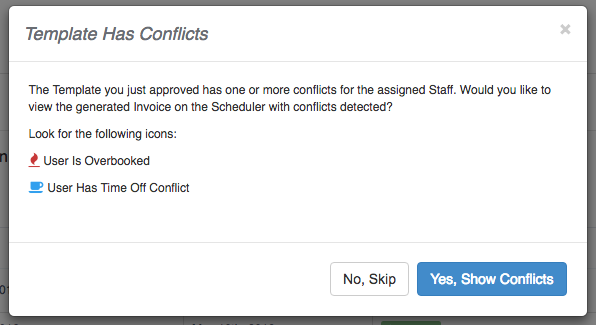
Templates are a great way to automatically or semi-automatically schedule your recurring clients. If however a template is assigned to a Staff Member that has time off, there was no automated way to detect the conflict.
With Template Conflict Notifications Time To Pet will now automatically notify your for both Automatic and Manually approved templates.
For Automatically Approved Templates Time To Pet will send you an email with a breakdown of all detected conflicts. Manually Approved Templates will immediately present a notification of the conflicts allowing you to take action right there and then.
Edit Time Tracking Details

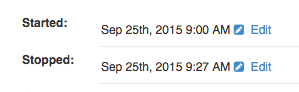
Have your sitters ever forgotten to check out or checked in after they actually left the house? It is now possible as an Administrator to adjust the check-in and check-out times for each visit.
When viewing the Time Details for a particular event there is now an Edit link. Click this to make adjustments:
Pay Stub Improvements
Previously, making adjustments to a Sitter’s Pay Stub was only possible at the time of creation. It is now possible to make adjustments far in advance and have these changes persisted in the system so when it comes time to generate pay stubs, no adjustments are required.
This allows for more incremental adjustments throughout the pay period and will hopefully decrease the burden of pay roll.
There are minor changes to the Pay Stub Interface to support this change.
Generating Pay Stubs For Multiple Staff
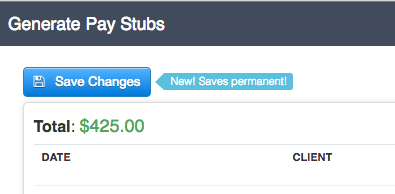
If you are generating pay stubs for multiple staff at one time no changes have been made to the interface. Clicking “Save Changes” will now however persist these changes for good, not just for the time the window is open.
Generate Pay Stub for Individual Staff
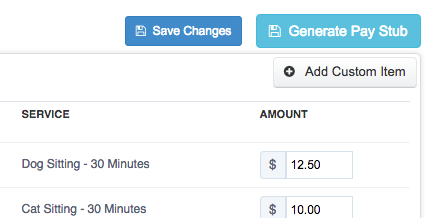
The interface for generating a Pay Stub for an individual staff (in other words from their profile -> Pay Stubs tab) now has two distinct buttons. Save Changes will save any adjustments but will not generate the Pay Stub. Generate Pay Stub will generate the Pay Stub just as before.
Staff Generate Own Pay Stub
If you allow your Staff to generate their own Pay Stubs their interface will now also have a “Save Changes” and “Generate Pay Stub” button so that they too can adjust their Pay Stub over time.