
May 10, 2017
Table of contents
Along with our recent Client App release --- we've also made some updates to the Staff App in Time To Pet! These include the ability to manage keys from the app and support for more push notifications. The TTP App can be downloaded right from the Apple App Store or from the Google Play Store.
Manage Keys from the Staff App
You now have the ability for staff to manage their keys right from the Staff App! First, you have to enable this setting from the Permissions section for the specific roles you'd like to.

After enabling this permission, your staff can view the keys that are in their possession by clicking the hamburger menu in the top left and selecting the "Keys" button.
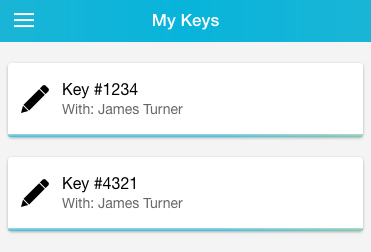
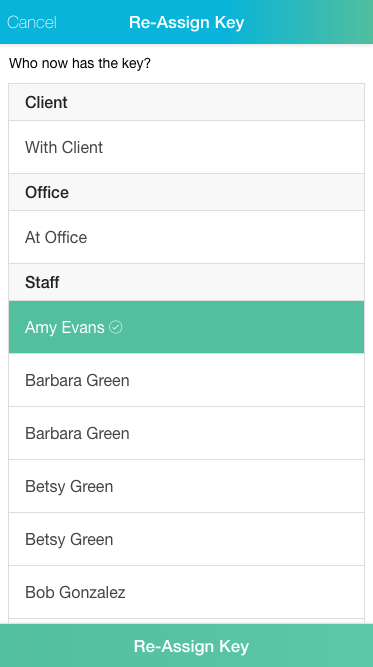
Keys can be edited by clicking the pencil icon and can be reassigned to a new location.
You can also see all keys listed for a Client directly from their Client Profile on the Staff App.
More Push Notifications
We've significantly expanded what types of staff notifications can now be delivered as a push notification! Staff can manage their push notifications right from the "Account" section of the App. Just click the "Notifications" button and you can select what types of notifications you'd like to receive on the TTP App.

An admin can also adjust the settings for push notifications using the Bulk Notification Editor or directly from the Edit Details section of a staff account.