
GPS
GPS allows your business to capture location data for your visits. GPS is entirely optional in Time To Pet and must be enabled for your business before any location data is captured. GPS data can include check-in/check-out coordinates or the entire route for each visit.
Transparency
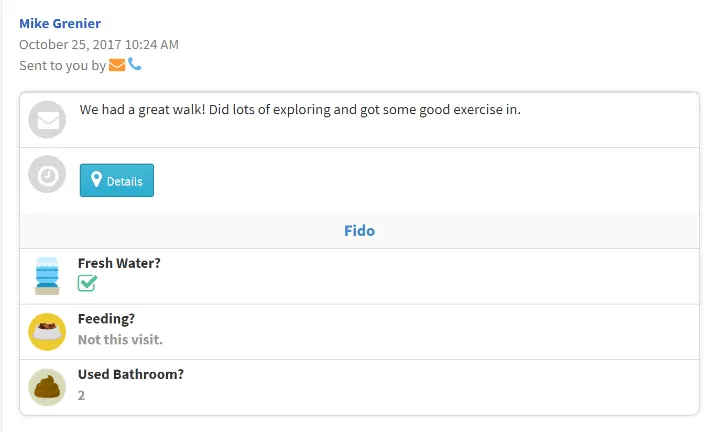
GPS data is a great way to add more transparency to your business. When staff members complete visits, you can upload GPS data for that visit to your Time To Pet account. If a client ever questions you or a team member about their visit, you can present verifiable proof that the visit was completed and your staff member was present.
Route tracking
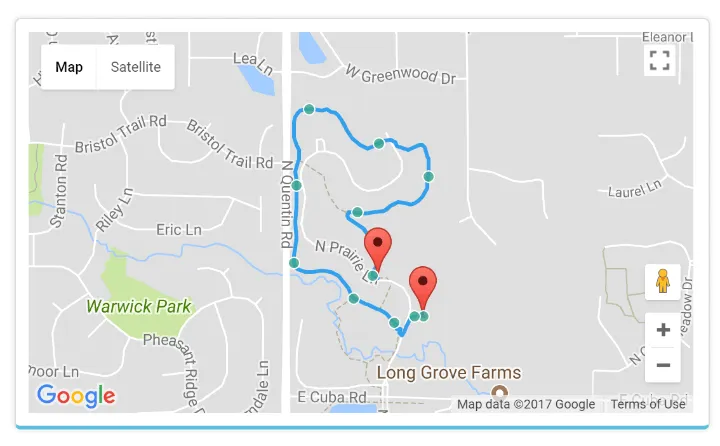
By default, Time To Pet will only track GPS coordinates when a staff member checks in or out of a visit. However - you may want to track GPS for the entirety of the event for some services (like dog walking or dog hiking). Route tracking allows you to do just that! Time To Pet will put the coordinates together to create a map showing exactly where your staff member went during the event.
Share with client
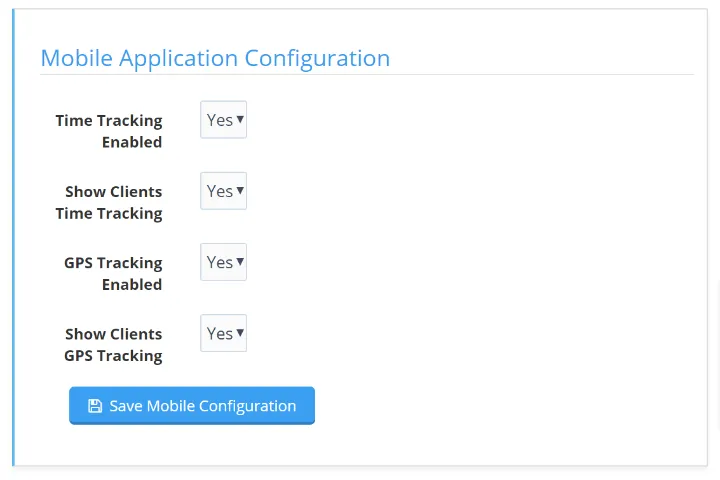
GPS data can be optionally shared with pet parents. If shared, clients can access the GPS information when they get their post-visit report or can review it on an event-by-event basis directly from their Client Portal.
Start your 14-day free trial
Join 5,000+ pet care businesses that use Time To Pet to save time, delight clients, and grow their revenue.