Accepting tips
A pet sitting and dog walking company is a unique type of business. It's in the service industry but you are providing care to some of the most beloved members of your customer's families. Because you provide an amazing service - your clients will want to thank you with a tip from time to time. Accepting tips should be easy and also discreet. That's exactly how we designed the tips function in Time To Pet! In fact - we've seen that customers who pay via the App or Portal are over 6 times as likely to leave a tip as someone paying via cash or check!
Via app or portal
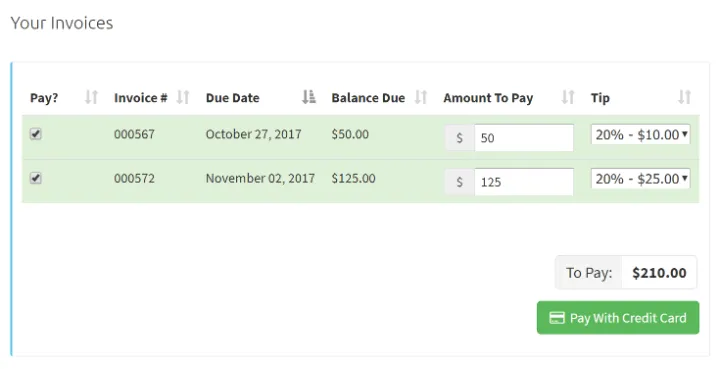
When making a payment from the Client App or the Client Portal, your client can easily leave a tip to thank you for a job well done. Time To Pet will show your client some suggested tip amounts (10%, 15%, 20%) or they can leave a custom dollar amount.
Auto tip
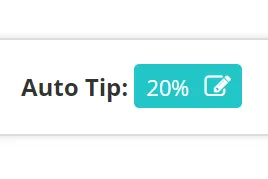
Some of your customers may prefer that you run the card on file for them. For these clients - you have the option of adding an auto tip. Auto tips are automatically added to the invoice for the client.
Disbursing tip
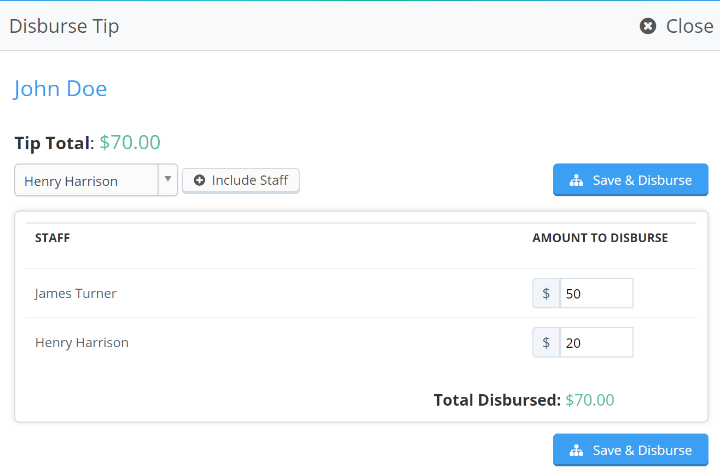
When disbursing tips to your team - Time To Pet will automatically disburse the tip amount based on the percentage of visits a staff member completed. If two staff each completed 50% of the visits on one invoice, they will each get 50% of the tip. Tip balances can be added directly to a staff pay stub as well!
Start your 14-day free trial
Join 5,000+ pet care businesses that use Time To Pet to save time, delight clients, and grow their revenue.